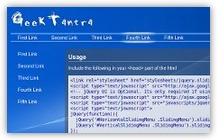
 Finally, I am back after a long time with a refreshing new jQuery plugin to make your Web Page menus look better. Its the jQuery Sliding Menu.

Finally, I am back after a long time with a refreshing new jQuery plugin to make your Web Page menus look better. Its the jQuery Sliding Menu also known as the Lavalamp Menu or Fancy menu by some.
Demo: Click Here
Download: Click Here
Project Repository: Click Here
Usage:
- In the head section add the following code:
- Add the form in the body as shown below
That’s it you are done!
For advanced users:
List of options available:
| backgroundClass | Class of the moving background (Default: “Background”) |
| initialOpacity | Opacity of the moving background (Default: 1) |
| slideSpeed | Speed at which the background should slide (Default: 1, should be a fraction less than 1 which is max speed) |
| easing | Type of easying with which the background should slide (Default: “linear”, must include jQuery UI core for this to work) |
| callback | Callback of the sliding menu event (Default: “”) |
| backgroundContent | HTML for moving background (Default: ”
“) |
| activeClass | Class for the clicked link (Default: “ActiveLink”) |
| highlightOnClick | Tells whether the menu item should get highlighted on clicking it (Default: false) |
Hope you liked the plugin. Awaiting your comments
If you liked the plugin please spread it for your friends to use and please rate it at http://plugins.jquery.com/project/jquery-sliding-menu
26 replies on “jQuery Sliding Menu (AKA Lavalamp Menu)”
[…] Follow this link: jQuery Sliding Menu (AKA Lavalamp Menu) | GeekTantra […]
Great work! Tnx Master!
Thnx for the appreciation.
The Demo https://www.geektantra.com/projects/jquery-sliding-menu/# doesn’t seem to be working.
Thanks. It was easy to understand this material. I am waiting for new information about this theme.
Social comments and analytics for this post…
This post was mentioned on Twitter by geektantra: jQuery Sliding Menu (AKA Lavalamp Menu) | GeekTantra http://tinyurl.com/y9ozwwp…
Any kind of help regarding google adsense contact anytime – [email protected]
Thanks
[…] jQuery Sliding Menu (AKA Lavalamp Menu) | GeekTantra / jquery menu navigation webdev […]
Awesome menus. They look great in Firefox. But in Internet Explorer 8 the menus don’t look nearly as good. How can I fix this problem for IE?
Thanks this is an awsome menu , i use it on so many of my clients websites now , i cant get enough !
class=”ActiveLink” doesn’t work
the initialOpacity doesnt work on IE7, Javascript error
the demo breaks too.
Hi,
I’m having troubles with IE 6&7 as everyone else getting message error “object doesn’t support this property or method”
Can you help us out?
BTW, great menu plugin!
Thanks in advance!!!
Thanks for this solution.
For those of you having a problem with this script in IE7; the root cause appears to be a bug in the following line:
jQuery(this).css({
‘position’: ‘relative’,
});
There is an extra comma after ‘relative’; change the line to read as follows by removing the comma and the script should now work in IE7.
jQuery(this).css({
‘position’: ‘relative’
});
Hi Art Gola,
Thanks a lot for the valuable feedback. Will certainly make the changes and commit.
Regards,
GeekTantra
hi, I’m unable to use the script in jquery 1.4.3 as the rest of our site, I’ve tried previous versions and it does work. 🙁
what’s changed, how can I make this compatible.
Thanks in advance!
Wasn’t working for me either – was staying hidden. Fixed by going to line 20:
change “display:none;” to “display: block; opacity: 0;”
Dunno if that was just my implementation or the latest jquery changing things
[…] has been used, with a few plugins for the menu, and scroll behaviour, and the also the form submits via […]
I have used this menu on one of my websites..thanks!
Michael
Thanks for sharing…
I’ve also created a lavalamp menu using Drupal module which can be view here http://www.victheme.com/demo_product/7
if it’s Okay and welcome for any review or comments:)
Hi there,
this plugin doesn’t seem to work with jQuery 1.7.1
Any chance to get it to work again?
Thanks!
it doesn’t work with jquery-1.7.1.min.js.
But thanx for sharing.
It works with 1.7.2
Few bugs regarding highlightonClick
but are easily fixable
Care to share these issues, or perhaps add them to the Issue Tracker at http://code.google.com/p/jquery-sliding-menu/issues/list so that others can benefit?
For those of you struggling with making this work with later versions of jQuery (beyond 1.4.2) add this line AFTER:
var h = jQuery(this).outerHeight();
/** new line **/
jQuery(this).parents(“ul:first”).find(“.” + options.backgroundClass).css({‘display’: ‘block’});
your hover function should look like this:
jQuery(this).find(“li a”).hover(function () {
var t = jQuery(this).position().top;
var l = jQuery(this).position().left;
var w = jQuery(this).outerWidth();
var h = jQuery(this).outerHeight();
/** make sure that the item is visible **/
jQuery(this).parents(“ul:first”).find(“.” + options.backgroundClass).css({‘display’: ‘block’});
jQuery(this).parents(“ul:first”).find(“.”+options.backgroundClass).stop().animate({
opacity: options.initialOpacity, top: t, left: l, width: w, height: h
}, options.slideTime, options.easing, options.callback );
}, function(){
if(options.highlightOnClick){
jQuery(this).parents(“ul:first”).find(“.”+options.backgroundClass).stop().animate({
opacity: “1”,
top: options.initial_top,
left: options.initial_left
}, 500);
}else {
jQuery(this).parents(“ul:first”).find(“.”+options.backgroundClass).stop().animate({
opacity: “0”
}, 500);
}
});