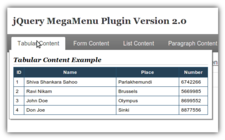
 An updated jQuery based MegaMenu plugin.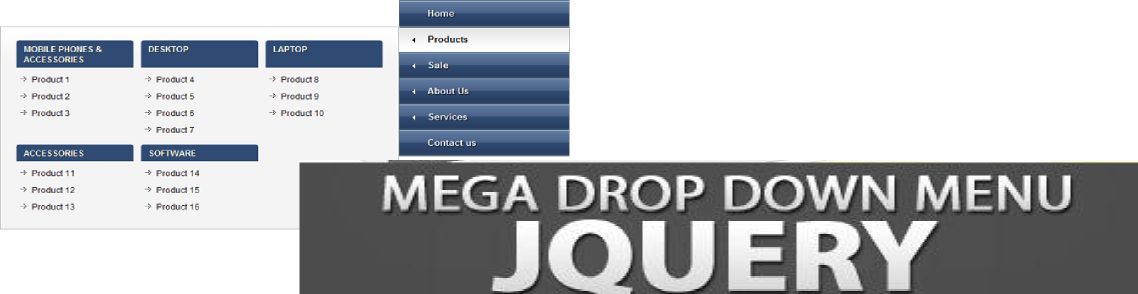
This is a sequel to the popular jQuery MegaMenu Plugin, with quite a lot of changes in the code base and usability.
Demo: Click Here
Download: Click Here
Project Repository: Click Here
So whats new in jQuery MegaMenu 2
- A completely revamped JS and CSS code-base.
- Easier to use. (A lot simpler HTML and JS needs to be used to initiate the menu)
- Customizable menu show and hide effects, with three available options of slideDown/slideUp, fadeIn/fadeOut and simple
- Customizable menu activation and deactivation actions. Now you can choose to activate the menu by click or by mouseover
- HoverIntent like feature embedded into the code-base so that we have smooth navigation by default without any external libraries.
- Automatic alignment of the menu content according to the width of the parent menu container.
- Variable width of the menu contents.
- Non obtrusive and easier to understand CSS.
Usage:
- In the header section of the HTML add the following:
We can replace megamenu with the class of the megamenu unordered list. To have the megamenu aligned to right just use the option ‘justify’:’right’
- Next in your body add the following code:
Advanced Options and Usage
- To have the megamenu activated on click use the ‘activate_action’ option as follows:
jQuery(document).ready(function(){ jQuery(".megamenu").megamenu({ 'activate_action':'click' }); // Can take 'click', 'mouseover' and 'mouseenter' as values only. Default: 'mouseover' }); - MegaMenu Show/Hide Options:
jQuery(document).ready(function(){ jQuery(".megamenu").megamenu({ 'show_method':'fadeIn', 'hide_method': 'fadeOut' }); // 'show_method' can take 'fadeIn', 'slideDown' and 'simple' as values only. Default: 'slideDown' // 'hide_method' can take 'fadeOut', 'slideUp' and 'simple' as values only. Default: 'slideUp' }); - MegaMenu JS Shadow Options:
jQuery(document).ready(function(){ jQuery(".megamenu").megamenu({ 'enable_js_shadow':true, 'shadow_size':5 }); // 'enable_js_shadow' can take true/false. Default: true // 'shadow_size' can take any whole number greater than 0. Default: 3 }); - MegaMenu Align Options:
jQuery(document).ready(function(){
    jQuery(".megamenu").megamenu({ 'justify':'right' });
// Can take left/right. Default: left
});
Enjoy the MegaMenu Plugin and do not forget to comment about it here.
If you like the plugin do share it.
272 replies on “jQuery MegaMenu 2”
[…] jQuery Mega Menu 11 Sep 2009 | Javascript, Programming | 116 Comments A new version is available at https://www.geektantra.com/2010/05/jquery-megamenu-2/ […]
[…] This post was mentioned on Twitter by Larry King, GeekTantra. GeekTantra said: RT @tweetmeme jQuery MegaMenu 2 | GeekTantra http://bit.ly/aQZr8s […]
Awesome… thanks for sharing 🙂
[…] Visit link: jQuery MegaMenu 2 | GeekTantra […]
Is it possible to have the menu entries center aligned?
Thank you for this release,
Pedro
You can change the setting in your css. Just manipulate the css to have it center aligned.
Wonderful stuff! Having one problem though: I have a form in one of my dropdowns, containing a textfield. When you start typing into the textfield an auto-complete list appears below the textfield. If you roll over that list the megamenu dropdown closes 🙁
Also, is there a way to allow the user to mouseout of the megamenu dropdown for (say) 0.5 seconds and back again without it closing (the timeout option doesn’t seem to affect this)?
I think Jacob Nielsen would kiss you if you implemented that (or rather, he wouldn’t strangle you).
Hi Chichilatte,
The timeout is only for hoverIn and not hoverOut. You can put time out in the hoverOut by editing the core code like follows.
jQuery(this).bind(options.deactivate_action, function(e){
e.stopPropagation();
clearTimeout($mm_timer);
var mm_item_link_obj = jQuery(this).find(“a.mm-item-link”);
var mm_item_content_obj = jQuery(this).find(“div.mm-item-content”);
// mm_item_content_obj.stop();
var hover_outTimeout = setTimeout(function(){
switch(options.hide_method) {
case “simple”:
mm_item_content_obj.hide();
mm_item_link_obj.removeClass(“mm-item-link-hover”);
break;
case “slideUp”:
mm_item_content_obj.slideUp( ‘fast’, function() {
mm_item_link_obj.removeClass(“mm-item-link-hover”);
});
break;
case “fadeOut”:
mm_item_content_obj.fadeOut( ‘fast’, function() {
mm_item_link_obj.removeClass(“mm-item-link-hover”);
});
break;
default:
mm_item_content_obj.each( options.hide_method );
mm_item_link_obj.removeClass(“mm-item-link-hover”);
break;
}
}, 500/*Miliseconds*/);
});
Change the above in the core code.
Next you have to clear the hover_outTimeout in the MenuActivation Handler.
This should solve your problem.
raay! _thanks* geektantra. I tinkered with it to add a new options property called deactivate_timeout, defaulting to 1 second. Here’s the code if anyone wants it…
http://coob.co.uk/freecode/js/jquery.megamenu.js
If you have any ideas about the autocomplete bug i’d love to hear it 🙂
Nice. Thanks for sharing.
If you can show me working version of the bugged autocomplete I might be able to help.
Here’s a working version…
http://workroom.coob.webfactional.com
In the topmost nav the “sign in” tab has a little form in it.
I’m in firefox 3.6.3 on windows XP. IE7 is too crap to offer an autocomplete. Unsure how other browsers cope.
I suppose a workaround would be to make the deactivate_timeout really long, and the user must click away from the dropdown to close it.
Do have a look tho, thanxx
Hi Chichillatte,
Found some usability problems in the implementation. Having a link on the sign-in menu reduces its usability as the drop sign on the item will always tempt the user to click it, and on clicking it instead of having the sign-in drop down he/she is redirected away from the page.
Regards,
GeekTantra
Yep, thanx, that would get sorted out in the end 🙂
I noticed you didn’t include the fixed width version.
Any reason for that?
I really like it.
Hi Phil,
The reason is to keep the code base clean. The feature can be easily implemented through CSS.
Regards,
GeekTantra
Hi, and thank you for this!
I’m having trouble — I’m trying to do a multicolumn list using a CSS float inside the dropdown, and that float property seems to make the dropdown content base (.mm-content-base) disappear. Strangely the drop shadow remains. I don’t know why. Can you help? Is there some conflict in the jquery, or?
While using floats inside an absolutely positioned element you must create a wrapper that is relatively positioned and give a clearfix (http://www.webtoolkit.info/css-clearfix.html) at the bottom of all the floats.
Great!
If I put the menu in the bottom of window, can I show the submenu above the mainmenu?
Yes. But for that you have to tweak the core code and change the top position accordingly. Check the code where the position top is assigned to megamenu base.
Thank you for your quick response above! I have one more question: Is it possible (easily) to enable the button that creates the dropdown to have a link associated with it, so that clicking on the button goes to a page, but hovering creates the dropdown?
Its pretty simple. While creating the menu just change the following
<ul class="megamenu">
<li>
<a href="https://www.geektantra.com" rel="nofollow">First Menu</a>
<div style="width: 350px;">Contents of the first mega menu</div>
</li>
<li>
<a href="https://www.geektantra.com" rel="nofollow">Second Menu</a>
<div style="width: 350px;">Contents of the second mega menu</div>
</li>
</ul>
Oh, duh! thank you… I wasn’t sure what the “javascript:void(0)” was doing… now I understand!
This is fabulous – so easy to use (for both developer and end user!)
I have just one question: how can I use both left and right justified menus in the same toolbar? (i.e. i need to switch direction after page mid-point to maximize screen real estate)
Thank you very much!!
The feature you want is already built in. The megamenu will adjust its position accordingly and optimize the screen real estate accordingly just try it out till your last menu item.
hmm it seams to work great only one problem
if u have a menu element without submenus it remains selected
MegaMenu element ideally shouldn’t have any sub menus.
Hi!!
I love your script, but is there any coding i can add to smooth the easing?
You can use jQuery Effects Library to smooth the easing.
Hey GeekTantra, thanks for this awesome menu!
I implemented it on my site, but I have one problem.
I have few li items which are just links (you can see my megamenu on my site), and if someone hovers them, they remain activated (their background color is changed) until user clicks somewhere outside menu.
For example, try hovering “Forum” and then move your mouse away.
Btw, I tested this in Chrome 5.0 and FF 3.5
Any help?
Thanks in advance!
I’m having this same problem but haven’t implemented the code on our site until it can be resolved. I only need one link “HOME” to not have a drop down menu as it would be silly to have a menu for that but it does need to reside in our menu bar with the other links. It highlights on the mouseover but then remains highlighted after mouseout and doesn’t unhighlight until you visit a new page. Just looks bad. The only way I’ve gotten around it is to add a style to the anchor itself (style=background:#0084c2; border:none; color:#fff;)
I will check the issue. It might require some fix.
I checked the issue and its fixed now. Download the latest version from here: http://jquery-megamenu.googlecode.com/files/jquery-megamenu.2.1.zip
You can check the demo also: https://www.geektantra.com/projects/jquery-megamenu-2/
Thanks! It’s working now 🙂
Hi GeekTantra,
I have a quick question about the demo. I downloaded it and it works fine. However, if I move the ‘List Content’ to the end of the the menu item titles disappear causing the menu to appear empty. If I hover over with the mouse the menu items drop down but their visual disappearance remains unexplained.
I was able to circumvent this by simply adding any empty to the end of the after the ‘List Content’ .
Any idea what the issue might be? [Browers tried: FF 3.6+ and IE 8]
Thanks!
Chris
Sorry, I placed some html in my last comment that disappeared.
If you take the demo as is, move the ‘List Content’ menu item to the end (after the ‘One Liner’) and refresh your browers you’ll see the menu items disappear.
I was able to circumvent this by placing an empty list element at the end of the list.
Thanks,
Chris
Hi Chris,
I tried your mentioned scenario. It seems to work perfectly fine.
Seems you have some markup errors.
Do check the markup. You must get your HTML/XHTML validated in order to have proper output. Please validate the markup here http://validator.w3.org/ and check again.
Regards,
GeekTantra
Hi GeekTantra,
I just downloaded the demo again. Moved the ‘List Content’ list item to the end of the unordered list and I still see this issue.
I checked on http://validator.w3.org/ and the index.html page passes.
If you are interested, send me an e-mail I can send you a re-zipped demo with only this change in the index.html . I’m comfortable using the empty list item work around I’m using now if you don’t have the time to investigate further.
Thanks,
Chris
I have sent you a mail. Just send in the zipped demo I will test it.
I checked the issue. Try the latest version. Its fixed there. Check it out from http://jquery-megamenu.googlecode.com/files/jquery-megamenu.2.1a.zip.
Got the latest demo, works great.
Thanks,
Chris
Thank you for sharing this.
I tested out a few other jQ mega menus and this one had the best capabilities/features of the lot.
However, there’s one glaring issue and I’m surprised nobody mentioned it — the very noticeable lag in loading the menu. It wouldn’t be such a problem if it didn’t visually cause the page to ‘hiccup’. That is, as the page loads the original menu loads, then jQuery MegaMenu2 kicks in and hides that menu and then shows the new one. This is easily seen and very distracting.
I’m using google’s CDN for jQuery and even cleaned up the megamenu2 code a bit, but to no avail.
Any ideas please?
Thanks
Hi Christian,
In the markup by default keep the megamenu hidden. The menu will show up only after the js is loaded. Follow the example in the demo: https://www.geektantra.com/projects/jquery-megamenu-2/
Regards,
GeekTantra
Thank you GT.
I suppose that is an improvement. I hate to complain, because I understand that you’re doing this for free, and I’m grateful for that. However, I can’t escape the feeling that it’s a distracting flaw that the menu is not immediately visible when the page is loaded. There isn’t much difference whether it shows up then disappears then reappears or just appears out of nowhere after a perceptible lag on every page. Is there some way to code this so that the menu doesn’t need to be rewritten by the JS? Can I ‘hard code’ it in some way perhaps?
Thank you kindly
Hi Christian,
Can you provide a link where this happens? I tried on the demo, I guess I had fixed it long back.
Regards,
Devadatta Sahoo
Unfortunately the link is not public. Is there a way I can email it to you instead?
Also, on your example page I see the same effect (menu is not there, then it appears). Are you saying that this is the best this menu can do or that it should not be ‘missing’ and then appear all of a sudden?
What I mean by my above comments in my previous response is that it’s a bit strange that the rest of the page is loaded but the menu is missing and then all of a sudden it appears. I hope that’s clear?
So no way to hard-code such a menu without having your JS do the work?
Another way is to place a copy the menu flat out with the styling applied and when js is loaded this surrogate menu is hidden and the actual menu is displayed.
Try this method out for the time being I will think of some other alternative.
can I use this pack with jquery 1.2 ? because I’m using prestashop which using this jquery version. Regards.
You can try it with jQuery 1.2, I guess it might work. But, its tested with jQuery 1.3.1 and above.
Regards,
GT
hi,I use this JQ Plus and found can’t use this css code:float:left;
e.g.
HTML:
Home
Item
thirditem
thirditem
thirditem
thirditem
and CSS code:
.subitem{width:400px;}
.subitem ul li{float:left;width:100px;display:inline;}
if use this code,the Page will error.
This is a bug?
My OL IM:[email protected]
I was not able to understand the problem. Can you be a bit clearer?
Sorry,
Do you have MSN?
We can talk on MSN.(My MSN is [email protected])
[…] jQuery MegaMenu 2 of the popular jQuery MegaMenu Plugin, with quiet a lot of changes in the code base and usability, with a completely revamped JS and CSS code-base. […]
Can make hierarchy sub menu?
You can but its not recommended. This element is not supposed to have children.
Thanks so much for this great resource. A problem I’ve noticed on the demo is that if Javascript is disabled, the menu doesn’t appear at all, making the site entirely unusable. Is there anything to be done about that? I know I’d be happy if the top level (i.e. what appears before you mouseover) just appeared and worked as regular links with no dropdown.
Thanks again.
This looks great but I noticed if javascript is turned off, the whole menu disappears – are you able to make it show even if JS is off…just in case
The last problem have been sent to your email, please check it.
Here is an example of what i mean: http://lscc.mercurynewmedia.com/ContentDepartments.html
Can you tell me why my drop down is not aligning to the right when I hover over Community. This work in other browser except IE7…
I think I had it working before until I mess with my css and that was probably how i might have messed it up. Please help me debug ASAP. Thank You!
Menu is great! One thing I’d like to figure out though. If one uses the menu to go forward (say clicks on the first “Tabular Content” and have it link to another page or site), then clicks on the “back” browser button, then the tabular content and menu is still visible as if in hover state. I’ve been trying to figure out how to close everything on clicking the link, so once one returns via back button, everything would be collapsed. Any ideas how I could do this? Thanks!
(simple test: use this in the demo:
…..
jQuery MegaMenu Plugin Version 2.0
Tabular Content
…..
OK figured out a way:
first, have:
activate_action: “mouseenter”,
so hanging out in mouseover won’t reactivate anything I close on click.
THen add later:
jQuery(this).bind(“click”, function(e){
e.stopPropagation();
//added the next 2 lines so back button wouldn’t see
jQuery(“.mm-item-content”).hide();
jQuery(“.mm-item-link”).removeClass(“mm-item-link-hover”);
});
Hey thanks for the solution! That was the only problem I had (…so far).
HI I just tried to activate the plugin, but got the following error:
The plugin does not have a valid header.
I am using wp 3.0
Its not a wordpress plugin. Its a jQuery front end javascript plugin.
Excellent plugin – I’ve used it a couple times already. My latest implementation is a bit more complicated than usual. I have it working in FF and IE7, but the dropdowns don’t work properly in IE8. Did I do something wrong. They just bounce around a bit when you are right below the border of the regular menu. Here’s the site, under development:
http://excel.techknowsys.com/main.php
[…] jQuery MegaMenu 2 是个流行的MegaMenu插件, 代码和可用性上有许多的变化, 并配备了全新的JS 和 CSS. […]
Hi, visited your site again after two months. I am already using megamenu version 1. Highly delighted to see the highly versatile version 2. Keep up and thank you.
very nice work.. was searching for this….keep up the good work and thanks a lot for sharing…
Brilliant work thanks.
An issue I have however is that I want to place the menu inside a div which is absolutely positioned, but contained in a relatively positioned div (hope this makes sense).
e.g.
.ad-panel
{
position:relative;
}
.topnav
{
position: absolute;
top: -49px;
left: -772px;
}
Menu goes here…
This is so that I can have the content higher up the page than the navigation (for SEO).
When I do this however the dropdown menu displays relative to the container div (i.e. ad-panel).
I’ve tried messing about with the CSS but doesnt seem to help so I’m wondering if I am missing somethign simple?
Thanks
Hi,
Thanks for your appreciation. Absolutely positioned divs will cause problem with the mega menu. If you want the menu to come below the content in markup but display above it in the browser its better not to include it in the markup at all. Instead use javascript to prepend the menu before the content. That ways the search engine doesn’t see the menu at all.
You can do this using jquery as follows.
jQuery(function(){
jQuery(“body”).prepend(“
“);
jQuery(“#my_mega_menu”).megamenu();
});
Hmmm good thought but I need the menu as markup so search engines can spider the sites content. The simplicity of the markup is one of the reasons I am switching to this option from my current (more bloated) solution…
Sorry to keep bothering you….
Cant seem to get this workign in IE with float? For example I have the simple item below:
Tab
left
right
This works fin in FF but as soon as IE gets its hands on it it messes up (shadow displays over content and content doesnt display.
Any ideas please?
Tab
left
right
Sorry didnt know the way to format HTML in these so it didnt get encoded.
Hi – Great plugin – seriously the best around for mega menus!
I have an issue with drop shadows in Internet Explorer 7 not rendering correctly until the cursor is over the drop down menu. I can send you an example for you to see (sorry can’t put it public)
I just checked the drop shadows with IE7, it seems to be working fine. Please check your implementation.
How do I have the menu aligned to the center?
Thank you.
You can use CSS to align the menu to the center.
i’ve tried
text-align: center;
in the css, but with no result. do you have an online example?
the menu is aligned in the center of the page. what i’m trying is to have the menu entries aligned in the center of the menu.
consider that the big box is the menu div and [A-D] the menu entries. what i have:
____________________
| |
| A B C D |
|____________________|
what i’d like to have:
____________________
| |
| A B C D |
|____________________|
help?
._____________________
|…………………|
| A B C D …………|
|_____________________|
what i’d like to have:
._____________________
|…………………|
|…….A B C D…….|
|_____________________|
this illustration thing doesn’t seem to be working. but i think you know what i mean.
thanks.
when i change the direction of the html to rtl the position of the megamenu chage when you change the screen setting
i don’t understand what you wrote. can you make it more clear, please?
The menu is really useful and beatiful… Thanks for sharing.
I have an issue with the menu, the drop down menu gets hidden behind the fusion charts.
Anyway we can fix the issue.
Thanks in advance for any help.
loi, the z-index property value of the menu must be higher than the fusion charts. check the css.
good luck.
I hope that solves the problem.
The menu is great… Thanks for sharing…
I have an issue with the menu. The drop down menu is hidden behind fusionchart.
Any way we can fix the issue.
Very much appreciate.
I tried to change the z-index to 1010 and 1020 as in css of Spry Dreamweaver horizontal menu, but it does not work… My old Spry dreamweaver drop down menu works fine with the fusionchart.
License question:
Hello, I would like to use mega menu however in order to do so at my company, I need details about the license under which this source code is covered. Can you provide this information or point me in the right direction?
I found a site which says this source is covered under apache2 (http://download.famouswhy.com/jquery_mega_menu/) however the apache license requires that the license is distributed as part of the package but is not included in the mega menu download.
Thanks!
-DaveO
Hello DaveO,
The Apache 2 license was knowingly not included in the JS file to reduce its size. If you are redistributing the code do use the source code with the Apache 2 License in. You can find this here http://code.google.com/p/jquery-megamenu/source/browse/ . If you are using the source code for a project you can directly use it without any problems. Hope that clears your problems.
Do send the link to your website once you have implemented the mega menu on it.
Regards,
GeekTantra
Hi, great tool, but we are having an issue that if you scroll the page far enough that the menu is off screen for a bit, it has disappeared when you come back to it, until you mouse over it again and it suddenly appears. This is only happening in IE (6, 7 and 8) and it happens in the demo code downloaded from the site if you add enough stuff to make it scrollable.
Is there anything you can think of that is causing that?
M
has anyone experienced any problems with a flicker on certain browsers?
this menu overall is great. I have a showstopper though. I have the menu in a navigation div that’s 850px wide. when the menu is in there, the dropdown portion is off center. Hovering over the left item, the popup is over 100 pixels to the right of where it should be (where it is in the demo), and the rest of the items continue.
what CSS do I need to change? Or is it something else? I noticed that you mentioned a fixed-width version could be made using CSS. Any suggestions, I’d really appreciate it.
OK, I’m figuring this out. My problem was my container div was set to position:relative; BECAUSE of another feature of my site needed it. So I’m working around that now. Can’t wait to see this customized menu all the way through to the end.
Neata imi place siteul tau vrei sa facem linkexchange cu siteul meu?
HI,
I think center alignment is what people here ask most. and I, myself, have no idea to get it to work as well. I need the menu system centered like http://www.godaddy.com and i know it must have something to do with the jquery but i’m not sure how to adjust it.
Maybe you should allow to declare how much left or right users want to adjust
like
jQuery(“.megamenu”).megamenu({ ‘justify’: ‘right’, ‘justifyspace’: ’20’ });
btw, it’d be nice if you put Twitter follow me to the right side of this web, it’s hard to read when it hinders the view on the left :))
Hi,
The case you are looking for has to adjusted from the CSS styling. It shouldn’t be very difficult to achieve it.
Thanks for the suggestion. Just changed the twitter badge direction :).
Regards,
GeekTantra
What exactly needs to be changed to get the full menu effect without the alignment of the submenu being off centered. I tried setting the width of the submenus to the width of the menu but it resulted in in the submenu being off centered.
Please help!
You can center the submenu with negative margins in your CSS. Just add “margin-left: -(half the width of submenu)px;” to your style for the menu and you’re good.
Hey,
Awesome script, just wondering how to add a current feature on to it, like i.e. if the li id=”current” to display that div or the “content in the dropdown” to display and not disappear when hovered on (just for that page it’s currently on). Suggestions? I’ve been racking my brain all week.
Hi,
You can do it by hacking into the plugin core script. Just use a class=”current” for your menu item then go to line 115 of jquery.megamenu.js (https://www.geektantra.com/projects/jquery-megamenu-2/javascripts/jquery.megamenu.js) and put the switch case block inside an if condition checking if the current menu item doesn’t have class current it should be
if(!jQuery(this).hasClass(“current”)) {
…. the switch case statement goes here …
}
I guess the above will do the trick for your case.
Regards,
GeekTantra
What exactly needs to be changed to get the full menu effect without the alignment of the submenu being off centered. I tried setting the width of the submenus to the width of the menu but it resulted in in the submenu being off centered.
Hi – Can you give an example of the switch case statement needed to setup the class=”current” feature in the jquery.megamenu.js file? Actually, I would need one for id=”current”. Thanks!
Hi Sam,
For checking id instead of class just use the condition jQuery(this).attr(“id”) == “current”. Actually the switch case statement is already there in the core code. You just need to encapsulate that part inside your conditional. If you go to line 117 of view-source:https://www.geektantra.com/projects/jquery-megamenu-2/javascripts/jquery.megamenu.js you should be able to see the switch-case statement that I have mentioned.
Regards,
GeekTantra
I want to know the last BUG repair not
[…] jQuery Linki: https://www.geektantra.com/2010/05/jquery-megamenu-2/ Demo: https://www.geektantra.com/projects/jquery-megamenu-2/ Licencja: Apache License […]
Hi i have a dropdown box with a submit button within one of the menus and am unable to choose another item in the dropdown as the menu fades out before i can do anything. Is there anything i can adjust within the show/hide so that a dropdown box can work? thank you very much.
“with quiet a lot of changes” -> “with qui*te* a lot of changes”
First of all this jQuery plug-in is best i found on the net. i have 2 questions.
1. How to create multiple megaMenu in one page? What i want is that: 1 mega menu on left floated and another right floated on the same line.
2. i want to have another jquery plugin called colorbox on some menu’s but it conflicts.
please reply
Hi,
The mega-menu plugin should easily work on multiple instances. Just you have to use a jQuery().each and instantiate the menu. If you can send me link of you implementation I can check where exactly its conflicting with colorbox plugin.
Regards,
GeekTantra
[…] JQuery MegaMenu […]
Hi, is there any workaround to embed this menu inside relative positioned div?
IMHO not being able to add menu inside relative positioned div is a HUGE drawback. Demo layout is using table but most of the websites today are table-less and relative divs are necessary for positioning elements. It would be great if next menu revision could be independent from parent div.
I second that! Love the plugin, but it would be much better if it it could be housed in a div doing the same thing as the table (fixed width; auto margins).
Hi Giuliano and rickibarnes,
If you observe the example carefully, the table wrapper is given only to give the page a 100% height. The megamenu is completely independent of the wrapper of-course. You can try the megamenu without a table as wrapper also it should work completely fine.
Regards,
GeekTantra
Great plugin! I’m working to implement this in a website with long lists of categorized submenu items (dynamically generated from a CMS.
Since the menu list could frequently change, I’d like to divide those category submenu items into columns dynamically
Here’s a sample of the menu hierarchy:
Discover [main menu item]
* What is a Township [category]
o History of Township [sub-menu item]
o Where is Township[sub-menu item]
o Roads & Bridges[sub-menu item]
* Elected Officials [category]
o Trustees [sub-menu item]
o Fiscal Officer [sub-menu item]
* Information & News [category] [NEW COLUMN?]
o Preparedness [sub-menu item]
o Community Bulletin Board [sub-menu item]
+ Archive of Past Issues [sub-sub-menu item]
o Newsletter [sub-menu item]
o Press Room [sub-menu item]
+ Press Releases [sub-sub-menu item]
+ Annual Report [sub-sub-menu item]
+ Meeting Minutes [sub-sub-menu item]
+ Legal Notices [sub-sub-menu item]
+ Request for Proposal [sub-sub-menu item]
* Staff [category]
o Directory [sub-menu item]
* Boards & Commissions [category]
I’d like to make the height of the displayed mega menu large enough to accomodate all category & submenu items in multiple columns, then wrap a category to the top of the next column when the list exceeds the height of the menu. I’m drawing a blank on ideas of how to do this.
I’m thinking if I get a total count of categories, and a count of sub-menu items, I could divide the totals into columns? I’m trying to figure out how to logically break the columns (I don’t want to continue a category from one column to another).
Any help/thoughts are greatly appreciated.
Hi Sherm Stevens,
It is quite difficult to understand the scenario from the comment. Please send in a link to the current implementation to help me understand the scenario.
Regards,
GeekTantra
GT,
What I’m trying to do is to split a list dynamically generated by a content management system into columns. Using your plugin manually, it’s easy, not so easy with a dynamic list.
I’ve found one solution is to incorporate another jQuery plugin, easyListSplitter written by Andrea Cima Serniotti (http://www.madeincima.eu) to do the work for me. Using this plugin, I am able to dynamically append a classname to the list items, allowing me to style & position them with CSS.
I’m still troubleshooting, when I get it completed I’ll post the link. But thanks for your quick reply.
Sherm Stevens
http://www.invision-studios.com
Hi Sherm Stevens,
You can use the list-splitter inside the megamenu content. I guess it should work fine. Do let me know if you face any problem.
Regards,
GeekTantra
GT,
I am running into a strange problem using the list splitter plugin. I’m calling the list splitter with a separate .ready(function()) AFTER the megamenu, all in the same .js file.
It works except for one major issue: the right side of the mm no longer stays within the boundaries on the right (for a left justified menu).
It seems like there is a point in your megamenu script that I should call the splitter, but I’m baffled where that could be. That would be when the mm is being formed, not after (as I’m doing now). Any suggestions?
I’ll be happy to send you my code, just too much for posting here.
Sherm Stevens
http://www.invision-studios.com
GK,
I’ve abandoned use of the list splitter. Totally not necessary, as all it does is find an element in the DOM and adds a class, then the class is formatted with CSS. I can accomplish the same thing using a slightly modified version of your code.
I would like to make a small change, perhaps you can suggest a method.
I’d like to be able to shift the menu that pops up to the left, or even center it in the window. Any suggestions?
Sherm Stevens
http://www.invision-studios.com
[…] 6. jQuery MegaMenu 2 […]
[…] jQuery MegaMenu 2 […]
Giuliano:
Very good script, but i had the same BIG problem.
I replaced the word “offset” to “position” in the .js, it works for me now.
Not tested very well, but could be a starting point for you.
Hi Deeep,
Thank you for reporting that you had a problem. If you could describe the exact problem it would be extremely helpful for me to review the script.
Regards,
GeekTantra
hi
My problem is the same, as for Giuliano November 19, 2010 at 3:32 am.
If i put the menu inside relative positioned div, the “dropdown” is not in “good place”. (it is far to the right, not where it should be)
i saw this in your script:
‘top’: ($mm_item_link.offset().top + $mm_item_link.outerHeight()) – 1 +”px”,
I never used jquery, but help “google”, if searched what “offset” is, and changed to “position”:
‘top’: ($mm_item_link.position().top + $mm_item_link.outerHeight()) – 1 +”px”,
So, i gave a try, and searching for a quick solution i replaced all “offset” to “position”, now it works fine for me in a relative positioned div. (Not examined, what the code does, and not tested very well, but it could be a starting point.)
Regards,
deeep
Thanks то deep, for solution! Respect to GeekTantra for script.
[…] easier to understand CSS. Demo, Details & Download: https://www.geektantra.com/2010/05/jquery-megamenu-2/ Tags: Featured, Javascript, Jquery, Menu, […]
Hi,
First a big thank you for this beautiful script.
Unfortunately, I came across a weird and pesky bug: Into the menu, I added a select input with a dozen of options. It works great in IE 8+9, in Chrome and Safari, however on Firefox, when selecting a value, the select form closes before the mouse even reaches some of the lower values and the expanded megamenu goes back into it’s default state (meaning it closes the menu again).
Do you have an idea what could trigger this in Firefox (and how to prevent this?)
THanks for your help!
Markus
Unfortunately, I don’t have yet a working example online.
Hi Markus,
Can you send me a working example for me to check the bug?
Regards,
GeekTantra
Can We implement overlay effect like…this..
http://tympanus.net/Tutorials/OverlayEffectMenu/
if is so please mail me…
So much thanks for your menu…
Hi Vincent,
The overlay effect can be implemented by editing the script. But we do not intend to add the feature to the megamenu.
Regards,
GeekTantra
[…] jQuery MegaMenu 2 […]
I am probably missing something obvious, but I would like to add a transparent background to the drop down content and for the life of me, I can’t figure it out.
Sorry to bother you, just figured it out…
[…] Mega Menu multifunzione contenente, tabelle, form, testo, immagini e molto altro. […]
[…] CSS jQuery MegaMenu 2 […]
Hi Guys-
If I want to use a background image for the MMContent section, how can I do that? I set the background css property to an image but it repeated itself even though i told it not to.
Hi James,
You can use the css important marker to force CSS values. Usage
background: url() no-repeat top center !important;
That should fix your issue.
Regards,
GeekTantra
[…] an dieser Stelle setzt das jQuery-PlugIn Mega Menu 2 an. Damit kann man sehr einfach ein DropDown-Menü erzeugen das quasi beliebigen HTML-Code im […]
[…] jQuery MegaMenu 2 […]
Hi,
This script is awesome. I could find a lot of uses for it, but I just encountered a problem.
I’m facing a strange problem regarding two megamenus. Suppose I take the example demo given on this page, duplicate the megamenu i.e. one below the other, then change the color of all the top entries of the lower menu to something dark :
Tabular Content
We have two megamenus. When the upper megamenu is triggered, the text of the lower one appears in the menu, as if the menu is transparent. The menu overlay is not transparent for any other elements.
I need two megamenus for a fancy app I’m setting up (the first is part of a help menu, on top, the second, part of a toolbar (somewhat like a ribbon bar, but not that fancy). Hope you can help. Thanks.
ps: I tried to put in html
<a href=”javascript:void(0)” style=”color:#000;font-weight:bold”>Tabular Content</a>
hope this works
Hi Rtvik,
I would suggest you instantiate two different megamenus with different css class names. That would ensure there is no conflict between the two.
Regards,
GeekTantra
I’ve just tried this. Two classes : megamenu1 and megamenu2. I even tried duplicating the css for both. Doesn’t work 🙁
I’ve also tried changes in css, like changing opacity etc. The menu is transparent only for another megamenu, not other elements. Perhaps the other megamenu redraws it’s entries while the first one is functioning, and should be disabled and enabled accordingly. I’m no whiz at javascript/jquery to fix that though.
Is it possible to have a drop-up menu? With the menu appearing above, sliding upward?
[…] jQuery MegaMenu 2 […]
Great script, in my case the menu should deactivate on click, it works fine, but the problem is once i will open an menu, then if i will click on the second menu (li), the first menu (li) is still open and it does not close, it closes only if i will click out side the menu. So now it is overlapping the menu which is already opened.
Please guide.
Hi BlueUnicorn,
The problem is taken care of in the plugin. Please check your implementation. A link to your implementation could help.
Regards,
GeekTantra.
How would I go about having the menus pop-out to the right of the respective element? I removed the css float:justify option from the jQuery file so the list items would be stacked on top of one another.
Is it possible to have the current primary category highlighted, if you are viewing any page within that category?
For example, if my headings were HOME LESSONS QUIZES
and LESSONS had sub pages Math, Reading, Science, Geography,
I’d like LESSONS to be highlighted if the user was viewing any of the pages Math, Reading, Science, or Geography.
Is there a way to do that?
Hi Brian,
This can be easily done by adding a CSS class to the corresponding heading when the corresponding page is open and defining the CSS accordningly.
Regards,
GeekTantra
I keep getting an error in Line 51 and the menus don’t want to display at all in Firefox. Help?
Julie – did you ever resolve your problem? If so, how? I’m having the same problem in firefox. In Chrome is shows the entire menu at once. Safari seems to work ok.
Hello, I’m having trouble making the links on the menu. For some reason, I can’t use CRTL+click on the menu. In the demo, there aren’t any click-able links so I’m not sure if links are supposed to work in the menu.
Is it possible to adjust the hover timeout? I’ve implemented a megamenu with “simple” show/hide options – in this case the hover state has an annoying delay.
Another question: all menu items are styled as tabs. How can we style menu items that do not have a drop down (like “Home”) differently?
Many thanks.
Thanx for ypur great job!
Same problem as BlueUnicorn: on click menu deactivates but if i will click on the second menu (li), the first menu (li) is still open and it does not close, it closes only if i will click out side the menu. Any fix? Thanx.
Sorry: “…on click menu _A_ctivates…”
Is it possible to create a vertical menu (with a certain width)? Is there an easy modification to allow this?
This is great! I have one question: Is there any way to slow down the slideup movement of the form in google chrome? The slideup is so quick that you are unable to enter information into the form. This is occuring on the demo page not with anything I have developed.
[…] jQuery MegaMenu 2 […]
this is not working in ie
Hi,
As a HTML beginner I have found this verz great mmegamenu. Unfortunatelz I have the next problem with it.
I have downloaded the yio file and followed zour instruction”
Usage:
■In the header section of the HTML add the following:
■Next in your body add the following code:
You can see the result at http://kismalac.freeweb.hu/index.html.
Let me know pls. where is the problem.
Thank you very much for your help in adavance.
Emőke
it appears that stopPropagation has some issues with ctrl+click in Firefox. personally, I use the middle mouse button, but this was driving some of my users nuts after I decided to adopt your menu system for my web site. I wasn’t sure it was stopPropagation’s fault for sure until, after searching for a solution to my ctrl+click problems, I discovered this article:
http://e-mats.org/2010/03/unbreak-my-hea-firefox-ctrl-click-please/
I adapted his solution to work with your megamenu code. the key is here…
jQuery(document).bind(‘click’, function(e){
// — start of new code —
if(inner_click)
{
inner_click = false;
return true;
}
// — end of new code —
jQuery(‘a.mm-item-link’).removeClass(‘mm-item-link-hover’);
jQuery(‘div.mm-item-content’).hide();
});
… along with replacing all instances of “e.stopPropagation();” with “inner_click = true;”
First of all, thanks for nice and lite stuff.
In IE7, the subnav flashes multiple times and closes itself. I tried some css modifications but no luck.
Any ideas?
http://goo.gl/IFKxf
In the other haven’t surprised, and in обще it was pleasant, likely it is uneasy
I renew my question hoping anyone can answer. Thanx.
“Onclick” menu activates but if i will click on, it does not close. Any fix?
Same problem as BlueUnicorn (for the deactivate_action)
I think I solved it by using megamenu v1, it may be useful to someone:
in the file “jquery.megamenu.js”:
1) I clear the deactivate_action option (deactivate_action: “”,)
2) In the “activate_action” function, I added this:
// code
var mm_sub1 = jQuery(document).find(“#sub1”);
mm_sub1.css({
‘display’: ‘none’
})
//
“#sub1” = I added this ID to the div with class “mm-item-content” generated
When I click on a different menu item the submenu opened –> closes automatically
Bye
also:
for(i=1;i<=MENU_ITEM_LENGHT;i++){
var mm_sub = jQuery(document).find("#sub" + i);
mm_sub.css({
'display': 'none'
})
}
Hi Alexio, does it work on MM v2 too?
[…] 5.Jquery MegaMenu jquery megamenu […]
is it possible to call and run megamenu from a different URL? I am working on a site where a third party needs to link to the javascript on my server. It works well and as expected everywhere but IE7 – where it causes crashes.
Is there a security issue in the script?
Thank you.
Brenda
Thank you awesome
I got this error message with Chrome.
Uncaught TypeError: Cannot read property ‘top’ of null
clearTimeout($mm_timer);
$mm_timer = setTimeout(function(){ //Emulate HoverIntent
mm_item_link_obj.addClass(“mm-item-link-hover”);
mm_item_content_obj.css({
‘top’: ($mm_item_link.position().top + $mm_item_link.outerHeight()) – 1 +”px”,
[…] 转自https://www.geektantra.com/2010/05/jquery-megamenu-2/ 16 May 2010 | Featured, Javascript, Programming | 54 Comments […]
Hey, great script. I’ve already integrate the menu into my app and been playing with it. I’ve got one question is that how can I add a submenu that that would slide out when the cursor hovers on the item of the dropdown menu. thx
Hi, Great instructions and code, I was able to slip my table in easy as.
Question: If I have a Table.html file that I want to use as a Drop-Down, how do I call that HTML page in your code?
So instead of having the code for each menu item inside default.html, each Drop-Down Item calls a specific HTML page which loads on hover…
Any suggestions?
Thanks,
Brett
I’ve been trying some megamenu method, but this one so far is the best for me. I’ll make it in next redesign. thanks Geektantra 🙂
Thx for this great Menu.
But is there a way to get it drop”UP” and not drop”down” ???
Thx for Help.
Hi there,
I’m experiencing an issue where the contents of the mega menu briefly show up on the page during load. Once loaded, the menu acts as it should.
Any help would be much appreciated.
Thanks!
Nathan
Hi.
Thank you for this useful menus. But I have problem same as Rtvik’s.
I’ve tried to adjust z-index property, but didn’t work how I intended.
Please tell any helps or advices.
Great menu. The only issue is that it should be keyboard accessible. a basic requirement for commercial sites, at least in the U.S. (Americans with Disabilities Act). It shouldn’t be too hard to make it keyboard accessible, though. The dropdown should appear either with a mouseover or when the parent link is active. Once the dropdown is visible, the user should be able to tab through it.
Hi
I am trying to achieve a 100% width div on the drop down. I tried tampering with the CSS without any luck. The div shifts completely to the left, stretching to the right side of the body and misses to fill the whole screen when I choose 100% for the Div’s width.
Would appreciate it if you could guide me, where I should be looking at that for that adjustment.
Hi ,
We are trying to use this menu, however the div content shifts to the right and also there is alot of space between the li and the div , you can check it here http://c6.tktools.jp/
On doing
ul.megamenu div.mm-item-content {
background: #FFF;
padding: 0px;
position: absolute;
border: 1px solid #777;
z-index: 9;
margin-left:-381px;
}
the div moves to the right but still the space between the li and the div still remain.
Any help would be highly appreciated.
I am building a Drupal module that utilizes this script and I am experiencing a similar issue. The javascript calculation of the position of the mm-item-content div is way off. PM me for location and access.
Cheers,
Antoine
You can fix this problem if you open the js code and find the line where it calculates left and top position for submenus. Note that I’m using version 1 but I assume same problem is in version 2 also:
‘top’: ($mm_item_link.offset().top + $mm_item_link.outerHeight()) – 0 + “px”,
‘left’: ($mm_item_link.offset().left) – 0 + ‘px’
Now just simply replace “offset” with “position” and submenus will be positioned relative to parent position, not the edge of the browser window. Replace zero with any number for fine adjustments.
Problem you have is because your menu or some of the parent divs are positioned absolute or relative.
Hope this helps.
Thanks Giuliano, that solved my drop down position issue.
Hi,
First of all thx for MegaMenu 2.
Sorry for this support like question, but I cant figure out how to configure MegaMenu 2 ‘deactivate_action’ to deactivate the pop up when the user ‘clicks outside’ of the poped up area, and not just leaving hover.
What I’ve figured so far that deactivate_action should be the literal name of the javascript event, so possibly I must modify the code to achieve this desired behavior, just don’t know how…
Thx for the help in advance.
Hi,
thanks for this great piece of code. It works fine for me on http://burg.cx.
Only thing is if I apply vtip (a tooltip script) the menu fades out if hovering from one item to another instead of staying open.
Cheers Thomas
Hi everyone
Please i am working on a website and i have been trying to have a mega menu embedded in it. How can i integrate Jquery mega menu to a Joomla site?
This s a great plugin, but I’m experiencing two issues. This is vanilla installation of MegaMenu2.
1) The dropdown element is pushing the rest of the page content down when it is revealed.
2) I can’t seem to have downdown menu items, only blocks of content like tables and such. Are nested lists supported for menu items?
Hi,
I was having a similar issue with you (2). When trying to use a dropdown (select) menu inside this mega menu, the menu closing again before being able to choose something (in IE7). In other browsers you have to keep your mouse clicked down to choose.
I overcame this by unbinding the mouseleave event when focusing on the select menu, and binding again upon focusout & change of the select box. I got the tip from here: http://stackoverflow.com/questions/6212309/problem-with-jquery-mouseleave-firing-when-container-has-select-box
Hi everyone 🙂
Could anybody help me out and explain why in IE7 my menu drops down but only half the content shows. If I then move my cursor into the menu area the other half renders?
Big thanks in advance,
Dom
Just to repeat the 100% width request. This was a feature of previous versions so I’m not sure why it’s been lost.
hey Geeks,
Nice and clean plugin. I am using it. I would like to know more about the usage of nested Ajax calls in the dropdown menu.
Please let me know if you get time..
thanks again
raghav
Great menu, I’m going to try to incorporate into my current theme….although the way it’s setup is pretty weird..
can you please explain how to create a delay when the mouse leaves the box?
Hi,
Very nice mega menu. I ve tried it on my website but when mouse is over the menu the dropdown box associated is displayed but not just bellow the first link and it the same for the other one.
Someone could help me?
Thanks a lot
I’m using Mega menu in my website. It’s great. I’m trying to ad a jQuery content slider and for some reason menu’s drop down behind the slider not over it.
Can anyone help?
Thanks
Fantastic beat ! I wish to apprentice whilst you amend your site, how could i subscribe for a weblog site? The account helped me a appropriate deal. I have been tiny bit familiar of this your broadcast provided brilliant transparent idea
Heya. i have tried installing your plugin from the joomla menu, both as uploading packagefile and Install from Directory but it wont install it proper.
tried with version 2.0 and 2.1
also just copied it to the plugins directory, but again nothing works :S
Hi and thanks for sharing this awesome script.
One Question:
Is there a easy way to let it slide the other way…
I meen a DropUp and not to DropDown 🙂
Thx.
I wanted to do this as well. All you have to do is add these declarations to .mm-content-base (or at least that’s what I did and its working for me!)
bottom: 40px;
left: 0;
top: auto;
position: absolute;
[…] jQuery MegaMenu Plugin […]
Hi, I would appreciate if someone could tell me the answer. I really need to configure some of the values, but i’m not good at script ;/
1. When i add a form inside the , how do you stop the form from going away because sometimes, the drop just vanish by accidentally mouse hover out ? how do you make the drop disappear if it sense someone has already type a value , for instance half way typing his username at a username input text field?
2. how do you slow down the animation?
Thanks!!
Sorry, there is some mistake in my typing
1. When i add a form inside the , how do you stop the form from going away because sometimes, the drop just vanish by accidentally mouse hover out ? how do you make the drop NOT disappear if someone has already typed in a value, lets say half way typing his username at a username input text field?
Hi, is there a way to add delay so that sub-menu doesn’t hide when mouse leaves parent menu accidently. This should be something similar to setTimeout on hover just for hover out. Thanks.
nice work!!!
[…] One from 2010 https://www.geektantra.com/2010/05/jquery-megamenu-2/ […]
Dont send form. Why?
What’s the license? Is it open source?
How do you allow right click of links in the menu? I need to be able to allow the user to right click and open in a new tab
[…] jQuery MegaMenu 2 – デモ|ダウンロード […]
Has anyone had any trouble with this menu when it is viewed on an iPad? On other sites I have built, the iPad automatically converts the hover state to a click state so that the nav menu can be accessed on the touch based device. With this plugin however, it does not appear to work. When the user touches the main nav item, it attempts to follow the link rather than opening the menu. I need to find a solution to this. Any advice would be appreciated.
Thanks!
How to hide the menu when the user clicks a link inside a megamenu content?
I am using iframes, so the megamenu shoud hide by yourself after click a link.
Thanks.
Hi,
nice and good-working megamenu, just missing a parameter to set a delay, while some user not knowing to go directly down with there mouse and with this forcing the menu to close.
Best regards
Boris
Hi!
Great script! It does exactly what I was looking for! If only I could do some fixes… sorry I suck at coding and stuff!
So, here it is my question.
I’m using the script on my home page: http://www.koti.it
As others experienced, the is not aligned to the as it should. I’ve tried the fix suggested by Giuliano and replaced “offset” with “position” in the “jquery.megamenu.js” file. In this way the menus get aligned correctly but I loose the neat “slide all the content down” effect.
I don’t know if someone could help… I’m this close to what I want!
Thanks for the help and for the great work!
Riccardo
Ok, figured out why it wasn’t correctly aligning before and now it’s fixed, but, again, no more “slide down all the content” effect…
Ok, I finally settled for the overlapping option.
Here is my website: http://www.koti.it
Still, if somebody knows how to enable the sliding content option I’m looking forward to it!
Riccardo
[…] jQuery MegaMenu 2 – Source +108 Free CSS Menu Designs {Mega Menu, Dropdown, Horizontal, Vertical}” […]
I tweaked the code a little bit as I am trying to duplicate the look of the menus at bmw.com. It seems to work, but as I hover over the menu items, the height of the box increases incrementally until the bottom shadow disappears off the screen. When I hover over it the first time, the dimensions are correct.
[…] 1. jQuery MegaMenu 2 […]
[…] jQuery MegaMenu 2 […]
Hi there, firstly great script, really liking your work.
Do you know how to make a link in the navigation not have a dropdown menu. If I remove the dropdown div there is still a delay on the top hover state.
Could anyone please help?
[…] いまさせていただいている案件で、グローバルナビゲーションのサブカテゴリとしてメガメニューを使う、というものがあったので使い勝手の良いものを探してみました。 jQuery MegaMenu 2 | GeekTantra […]
How can you justify the whole navigation bar to center instead of left or right?
[…] jQuery 2 – Fonte MegaMenu jQuery […]
Wow great scripts, this is what I’m looking for. So this menu support for HTML? So I can put images on menu too?
[…] #2 jQuery Mega Menu 2 […]
[…] jQuery MegaMenu Plugin […]
thanks for the megamenu !! it’s working fine in chrome,but when i use in IE& the menu is little bit slow. please advice how to improve the performance in IE7
thanks in advance
Vamsi.
First – amazing plug in, the more configurable one I’ve seen of this type! I ran into a wall with just one thing I’m hoping for some feedback with. Position of subnav items – Firefox vs other browsers.
I saw the solution posted in the past included below. I replaced all “offset” with “position” in the js:
mm_item_content_obj.css({
‘top’: ($mm_item_link.position().top + $mm_item_link.outerHeight()) – 1 +”px”,
‘left’: ($mm_item_link.position().left) – 5 + ‘px’
})
There is about a 20px difference between Firefox and all other browsers tested. IE8, IE9, current versions of Chrome and Safari.
I used Firebug to basically strip anything not required by the code related to relative or absolute positioning. Tested the css, but no dice.
I am open to learning and doing the work, I could just use a push in the right direction please. And I meant what I said, we needed something like this script long ago. Thank you!!
Solution from Past Post:
“You can fix this problem if you open the js code and find the line where it calculates left and top position for submenus. Note that I’m using version 1 but I assume same problem is in version 2 also:
‘top’: ($mm_item_link.offset().top + $mm_item_link.outerHeight()) – 0 + “px”,
‘left’: ($mm_item_link.offset().left) – 0 + ‘px’
Now just simply replace “offset” with “position” and submenus will be positioned relative to parent position, not the edge of the browser window. Replace zero with any number for fine adjustments.”
No matter what css or script changes I tried, the subnavigation menus kept drifting to the right. They also drifted differently in Firefox than they did in all other browsers.
A positioning element like the snippet you see below can work with either the “offset” or “position”. This offers the option to position elements relative to parent position or the edge of the browser window for things like subnavigation menus.
mm_item_content_obj.css({
‘top’: ($mm_item_link.position().top + $mm_item_link.outerHeight()) + 3 +”px”,
‘left’: ($mm_item_link.position().left) – 0 + ‘px’
})
This is great for having additional flexibility for positioning items that are script driven. This issue? It was reading a width assigned in the stylesheet for the body tag. The body tag is often used to set site content width. However some Jquery powered scripts pick up on width attributes specified in the body tag and take them into consideration when calculating. Once the width was removed from the body tag, it behaved exactly as expected in all browsers.
More information is available here: http://api.jquery.com/offset/
[…] io, tra le innumerevoli possibilita‘, ho scelto un plugin di jquery molto interessante: mega menu l’aggettivo abbastanza di tendenza per bollare questa scelta e’ […]
I only have one megamenu dropdown in the navigation and I would like it to display for a second when the page loads. Is this possible?
I am using the MegaMenu within an Oracle Application Express application. I have a Tabular Form (Grid Edit) Excel like view where the Menu is at the top of the page. My on page load event loads the Menu. In Firefox my clicking around the page which has alot of select list, text boxes, radio buttons displays has no problem with selecting the appropriate item. However, in IE 7.0.5730 I am experiencing about a 2 second delay sometimes on my click on these items. If I take the megamenu off the page I don’t have the problem. Any help on this would be appreciated. I really like you plugin.
Thanks,
Tom
[…] https://www.geektantra.com/2010/05/jquery-megamenu-2/ This was written by mkfmn. Posted on Saturday, June 16, 2012, at 3:39 pm. Filed under jQuery. Bookmark the permalink. Follow comments here with the RSS feed. Post a comment or leave a trackback. […]
Can you also build hierarchical menus with it?
I’d like to embed a youtube video in one of the dropdowns and I’d like it to stop playing when the dropdown diasappears. Any ideas?
I tried to implement it on my site, but it’s not visible at all!
But it’s really there (see code).
I know it’s just this little thing that I’m forgetting. Any help appreciated.
Check the link to the jquery.megamenu.js – This happened to me and I realized I had a typo in my link to the script.
[…] Demo | Download | Project Repository | Document […]
[…] jQuery MegaMenu 2 Plugin […]
We are using Megamenu in a proof of concept for a new site for Cancer Research UK.
Is there a way of making it work for keyboard users? (eg activate_action = focus).
Hi,
Thanks for this super cool plugin. It is just great.
I was wondering how to nicely hide the MegaMenu when I click on a link inside the menu?
Thanks a million in advance!
Hello,
I have also used this menu in my website. But it works fine in local server. Whenever it runs on the live server in wordpress it gives me error that “Uncaught TypeError: Object [object Object] has no method ‘megamenu’ “. Please help me to solve out the problem. Thanks in advance.
Hello,
Is that possible to make round corner boarder ?
After installing this in my site, it used to give error message in IE8
for example:
http://www.egtours.com/10_days_nepal_trip.php
I think it create conflicts between mega menu and light box if we put together in one page.
MM2 requires JavaScript to be on, to be visible. There are large Government agencies that disable JavaScript as part of their SOP. Is there a way to make the first level LI’s visible when JavaScript is turned off, and use the JS to just display the pop-up’s?
I’m not sure if your website can be setup this way, but you could have the top navigation URL point directly to a main page for that “category” that lists all of the “sub categories”.
Then in the jquery.megamenu.js change:
jQuery(this).bind(“click”, function(e){
e.stopPropagation();
});
to:
jQuery(this).bind(“click”, function(e){
e.stopPropagation();
return false;
});
What will happen is if Javascript is disable, the visitor will be taken to a page that lists the sub links for them to choose. If javascript is setup, the menu should work like normal.
You may also have to play with the CSS as the drop down add a large blank spot due to the drop down are no longer there.
I know this isn’t what you asked, but it is a solution.
My menu is still drifting to the right. There ar no attributes in the body tag. Has anyone else had this issue?
Your comment is old but I found the solution, maybe someone has the same problem, first you need an object with a selector of your menu, for example:
var $maincontainer = jQuery(“.megamenu”);
Next, change this:
mm_item_content_obj.css({
‘top’: ($mm_item_link.position().top + $mm_item_link.outerHeight()) – 1 +”px”,
‘left’: ($mm_item_link.position().left) – 5 + ‘px’
})
To this:
mm_item_content_obj.css({
‘top’: ($mm_item_link.position().top + $mm_item_link.outerHeight()) – 1 +”px”,
‘left’: $maincontainer.position().left + ‘px’,
})
How it works?, it’s pretty simple, with the selector and the position() you can retrieve the exact position where your menu starts then assign that value to the class ‘mm_item_content’.
very nice menu i love it thanks
I’m trying to use the option ‘enable_js_shadow’:true, ‘shadow_size’:5 but the shadow doesn’t show up in any browser. What could cause this to happen?
[…] 38. jQuery MegaMenu 2 – Source […]
Hello @all,
thank you for the plugin. Is there a simple way how to disable the alphabetical sorting of the links?
Greetings from Germany
Bruce
Awesome to see there is a version 2! I am still using the original jQuery Mega Menu, but I will update when I have enough time to sort out the CSS properly (I am using custom CSS to change the appearance).
[…] advierto que hay varios), y luego de probar dos o tres alternativas dí con el que me interesaba el Megamenu de GeekTantra, te dejo enlazada la version 2 del Megamenu ya con correcciones y es la version que utilicé para […]
How come I can’t control click on a menu item link? How is it being disabled? Thanks!
Aldo
Why doesn’t Control Click work on the menu?
How would you close all drop down menus on an iPhone or iPad?
I am trying to incorporate megamenu in my website but it gives me error “uncaught type error object [object object] has no method ‘megamenu'” i tried everything but still i am getting this error. Can anyone help me and because of this my dropdown menu is not showing when i hover on menu item.
Thanks in advance!!
[…] jQuery MegaMenu 2 […]
Menu works great until it responds, gets smaller and starts to take up two lines. When the menu is constricted and starts to take up two lines, the Mega menu dropdowns start to overlap top tier menu li’s that have wrapped to the second line and then two problems occur:
1. Passing your mouse into the megamenu dropdown often takes you over these wrapped menu items and the megamenu dropdown immediately closes making it impossible to navigate.
2. The top tier items that have wrapped to the second row, appear on top dropdown content fired by the top row.
Setting the z-index on the dropdown div contained in the li and the UL doesn’t seem to fix this problem. I set the UL to z-index:1 and the div fired by the li to z-index:5 and nothing changed, the dropdown still displays under the li’s that have wrapped to the second line.
Any suggestions?
Forget it – I messed up on the z-index. Disregard, this is not an issue,
Any ideas on closing the mega menu on tablets? Once the menu is displayed there is no way to hide it. Nice plugin!
It would be great if you could offer the plugin without the sliding effect. Thanks!
i have used your mega menu on one of my websites where i have a slider and mega menu drop downs fall behind the slider when slider changes pictures and then falls back in front of it. Do you have an idea why?
Eva – check the z-indexing, the slider should be at a lower z-index than the mega menu if you want it to display on top of the slider. Otherwise, do the opposite. I hope that helps.
one issue i’ve encountered is, when I apply the megamenu it works wonderful. However, every time I click on the menu, it scales the height of the drop down mega menu. Is there a way to avoid that from happening?
Such a shame that this plugin is not usable for mobile devices/tablets.
You cannot close the megamenu down without clicking on a link to a new page.
[…] jQuery MegaMenu Plugin […]
Hello,
Your megamenu is fantastic and works great.
I am trying to figure out how to make the hide() have a delay. I would like to wait a second or two before the tab goes away if nothing is hovered.
Thank you!
[…] Demo Download Tutorial […]
[…] jQuery MegaMenu 2 […]